

Learning how to sell on Kiwify is essential for anyone looking to generate extra income without leaving home. That’s because the platform offers all the tools you need to facilitate your sales, whether you’re a content creator or an affiliate.
With Kiwify, you can create and sell digital products such as online courses, e-books, lectures, podcasts, and various other types of educational content, all through an intuitive and accessible interface.
In this guide, we will teach you step by step how to sell on Kiwify, showing you the entire process of creating an account, creating products, and becoming an affiliate on the platform in just a few minutes. Don’t miss out!
What is Kiwify?
As we highlighted, Kiwify is a digital platform that allows users to create, host, and sell digital products of various types and niches, enabling entrepreneurs and influencers to monetize their knowledge and skills.
Check out some other interesting features of the platform:
- Affiliate Management: Kiwify allows anyone to promote digital products in exchange for commissions, which helps expand reach and sales.
- Marketing Tools: Offers marketing automation features, integration with email marketing platforms, creation and sales pages, and much more.
- Analysis and Reports: Through the Kiwify dashboard, you have access to detailed data on sales, conversion rates, and performance for all your products.
How to sell on Kiwify?
To start selling on the platform, whether by creating products or as an affiliate, you must first register. Follow these steps to create your account:
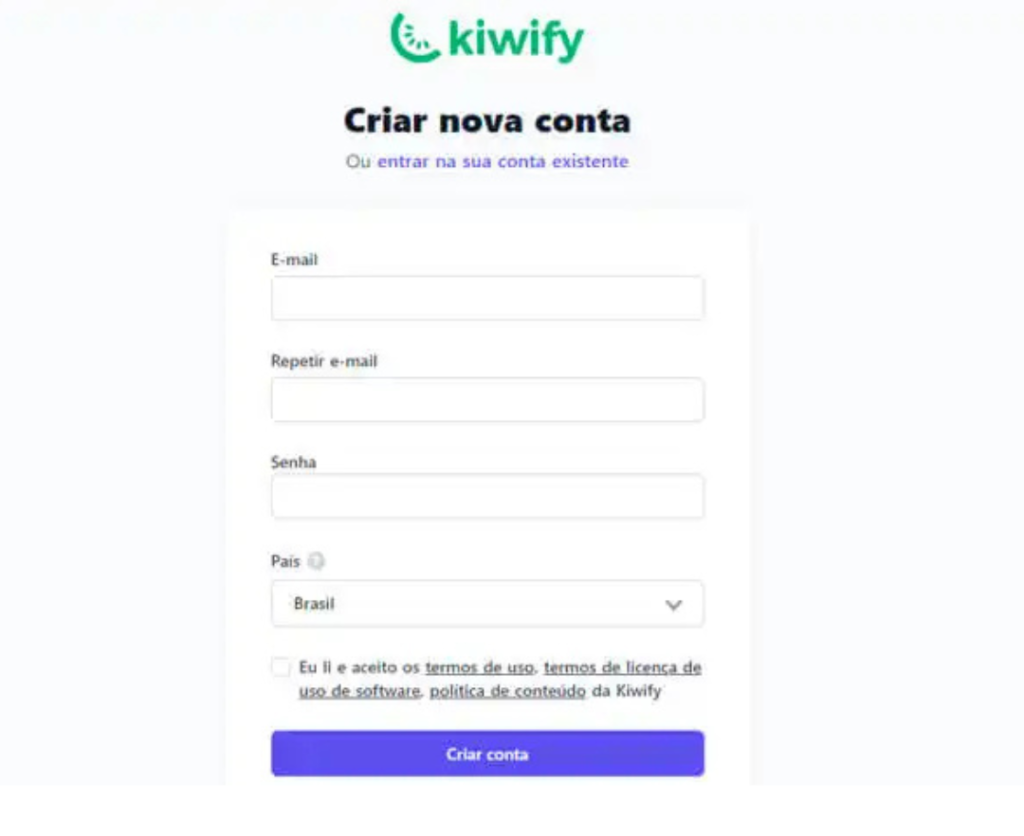
1- First, go to the Kiwify website, fill in the fields with the requested information, and click on “Create account”;
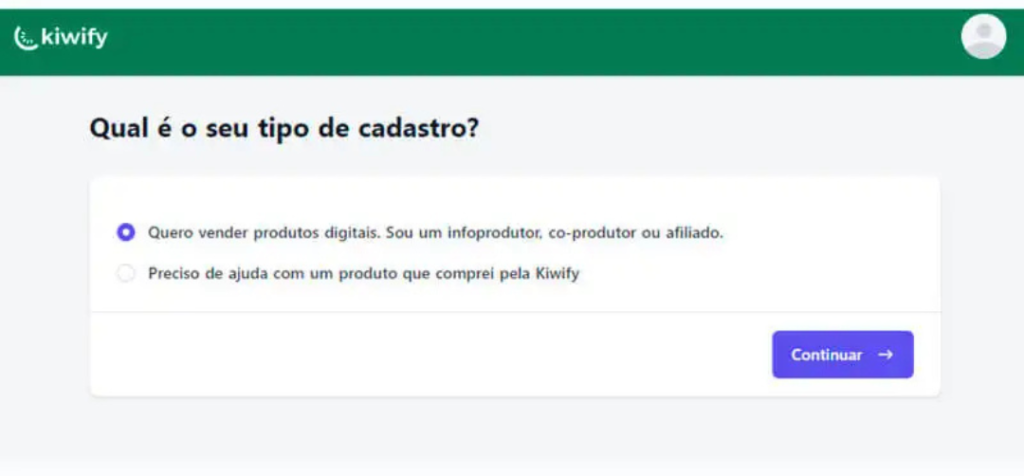
2- Next, to sell and create digital products, select the first option and click “Continue”;
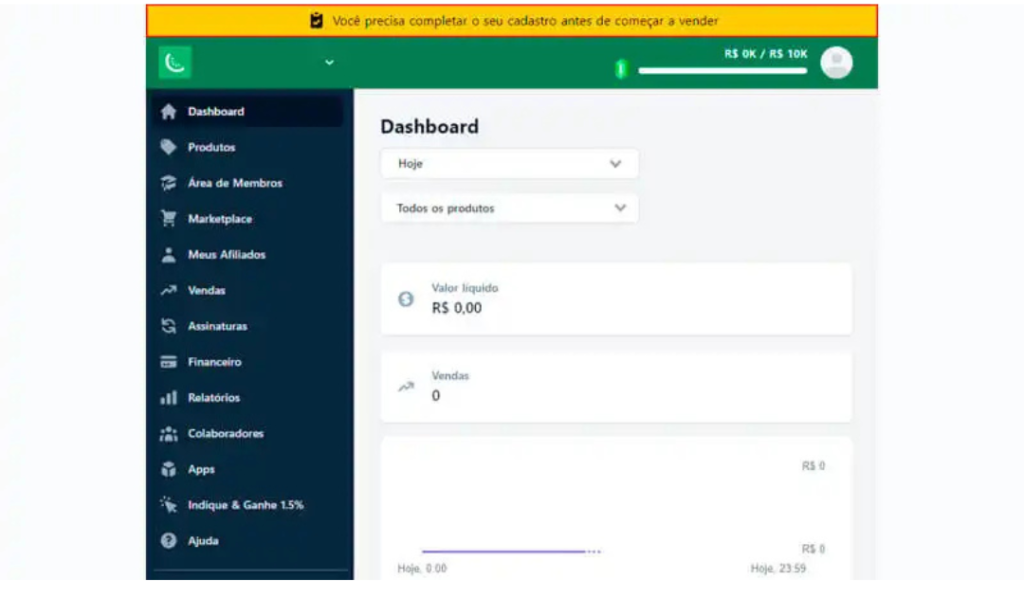
3- Once you have finished creating your account, click on the yellow message that appears at the top of the screen to complete your registration;
4- When you click on the message, you will be redirected to the “Financial” tab, where you will need to choose where you want to receive your withdrawals;
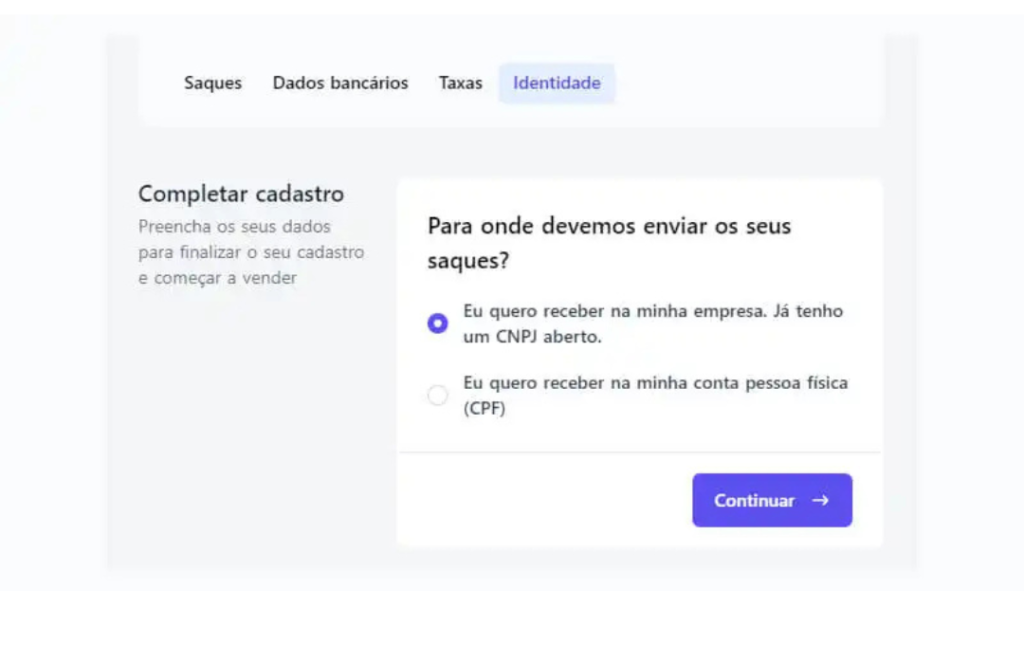
5- After choosing one of the two options, fill out the form with the requested information and click “Continue”;
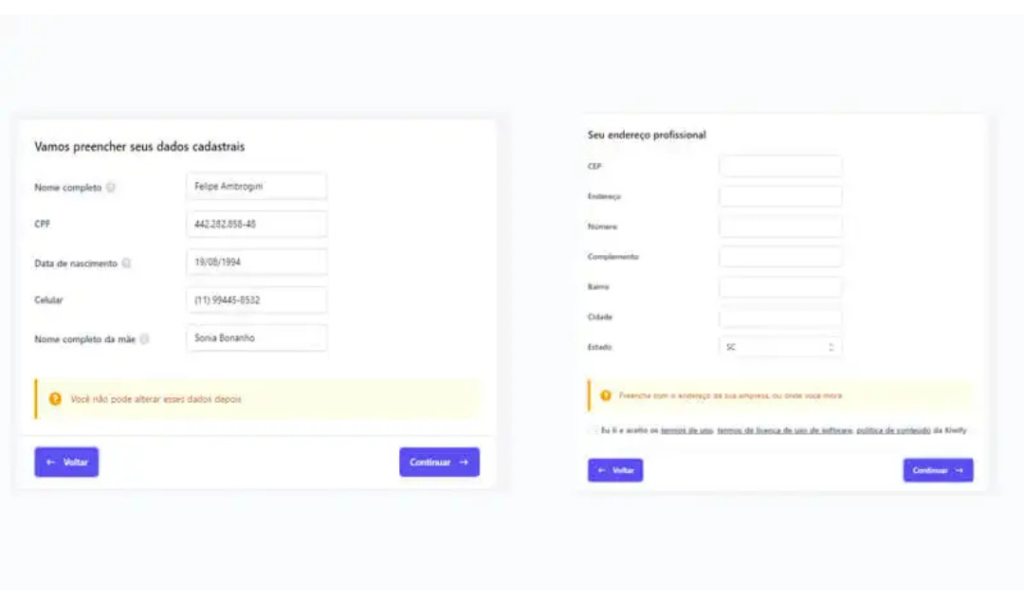
All right, now that your account has been created and all your information is up to date, it’s time to start selling!
How to create and sell a product on Kiwify
Now we will show you how to create a product and sell it through Kiwify. Check it out:
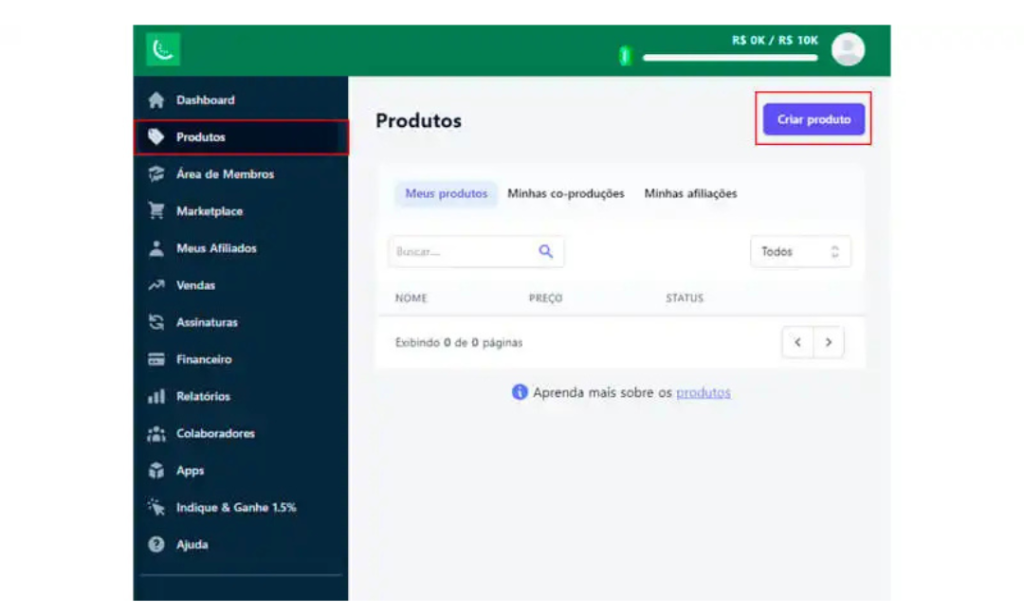
1- First, click on the “Products” category, located in the left side menu, and then click on the “Create Product” button;
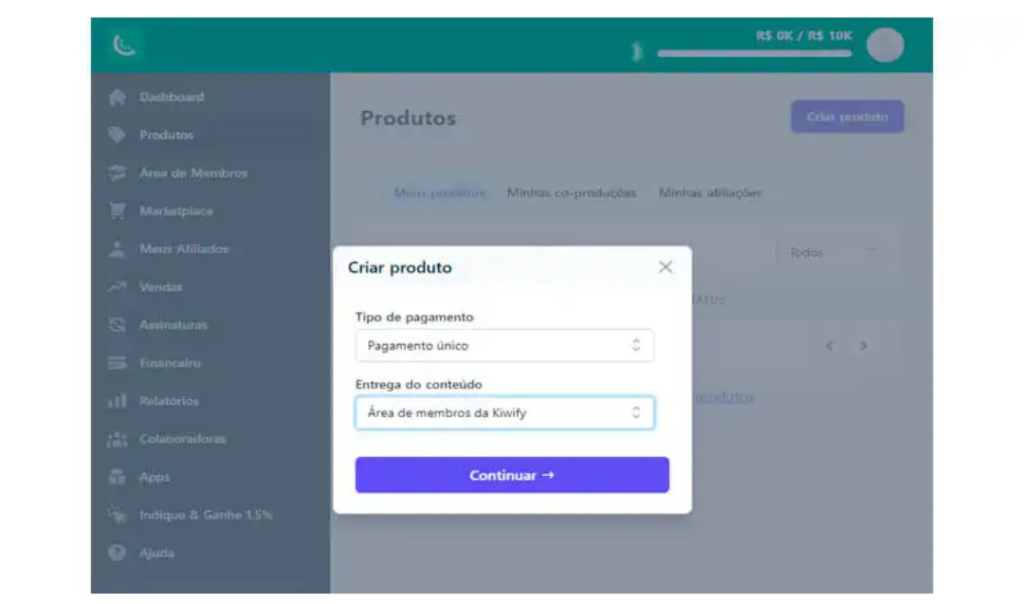
2- Now, select the payment type and how the digital product will be delivered. Then, click “Continue”;
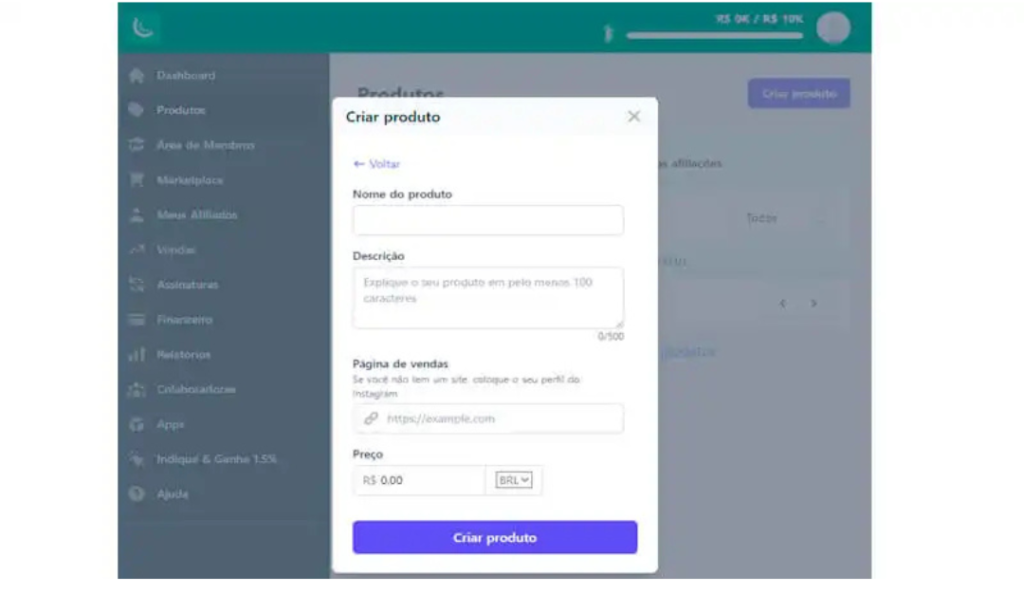
3- Next, fill in the fields with your product information and price, and click on the “Create Product” button;
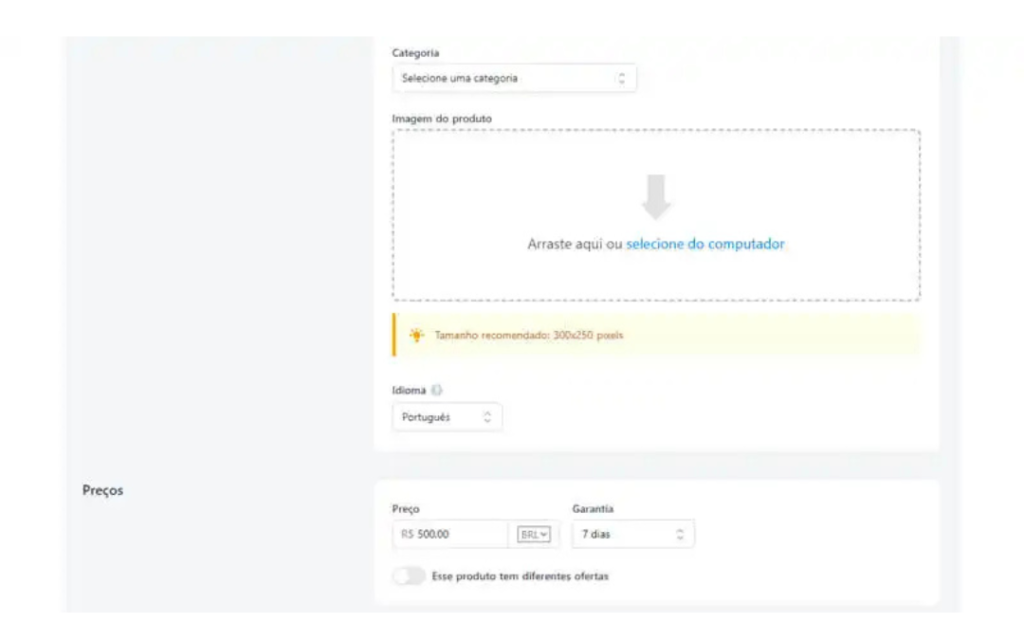
4- After creating your product, it’s time to customize it. On this page, you need to select a category, add a cover image for your product, and set up the warranty days you want to offer;
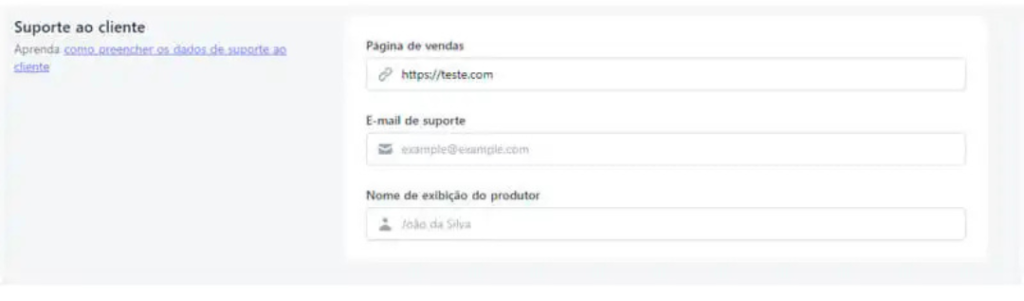
5- Finally, according to the URL of your product’s sales page, enter an email address that will be used to provide support to your customers, fill in the “Producer display name” field, and click “Save Product.”
Creating and configuring a product is essential for anyone learning how to sell on Kiwify, as this ensures that your digital product is well structured and attractive to buyers, increasing your chances of success.
How to sell on Kiwify as an affiliate
In addition to creating digital products, Kiwify also allows users to affiliate themselves with products from its marketplace to promote them in exchange for commissions. Here’s how to become an affiliate:
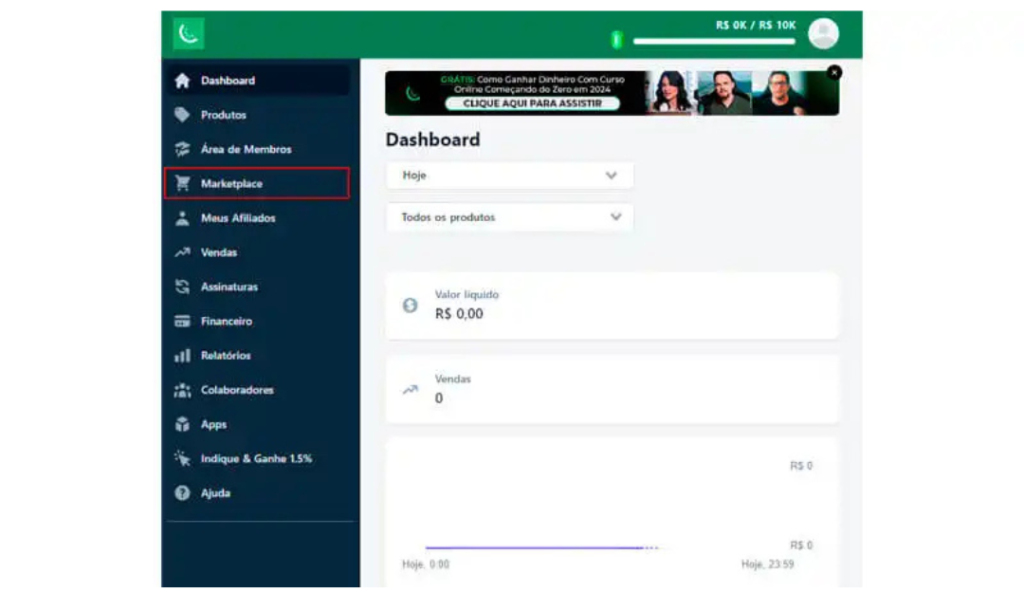
1- On the dashboard on the left side, click on the “Marketplace” tab;
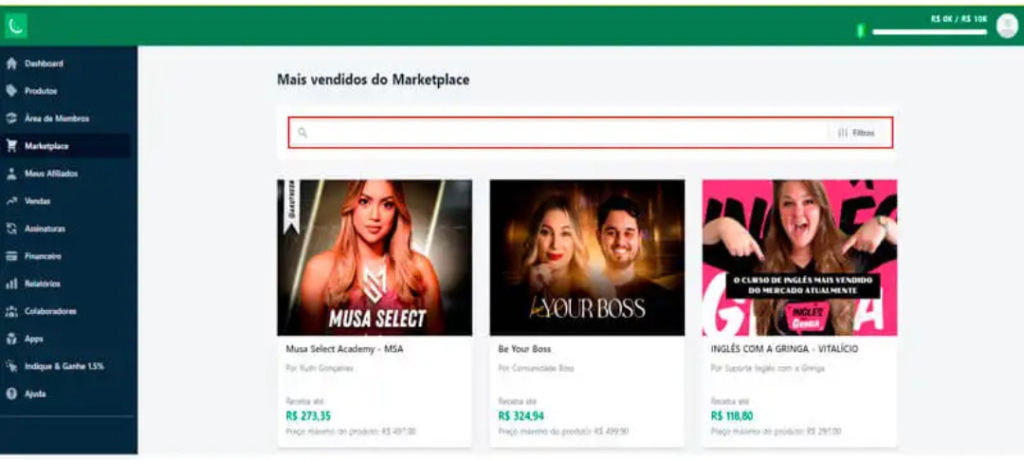
2- Within the Kiwify Marketplace, users can find all the products available on the platform and pay commission. It is also possible to search for a specific digital product by name or using filters;
3- Once you find a product that interests you, simply click on it to review information such as category, price, commission, description, etc. If you agree, click on “Request Affiliation”;
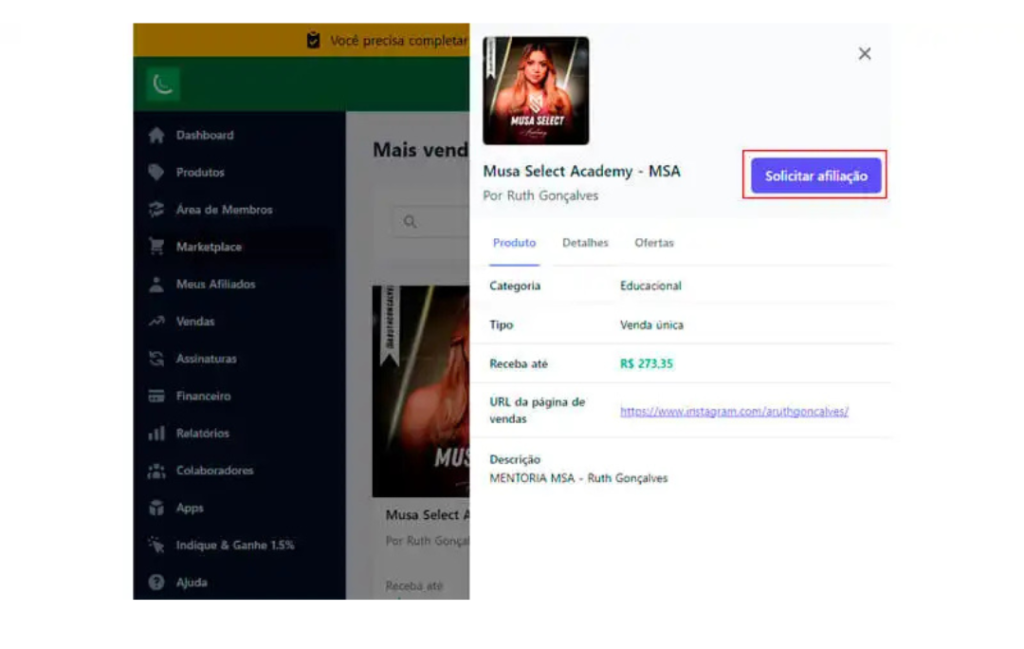
**4-**For products with open affiliation, the request will be accepted instantly. However, for some products, affiliation is only granted if the creator approves the request, which may take some time.
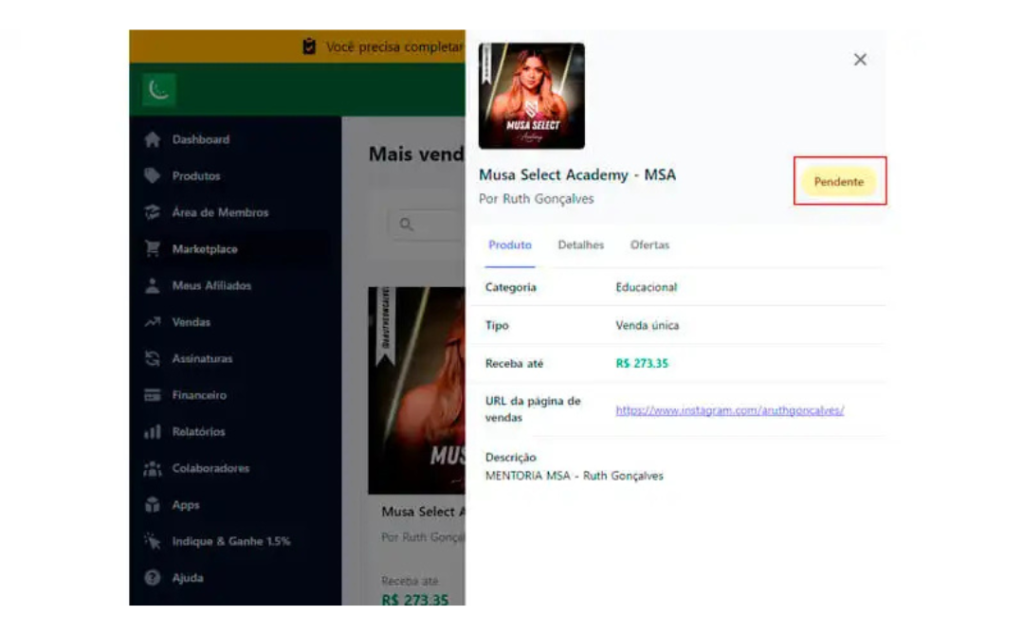
5- Finally, to check your affiliations, simply click on the “Products” tab and then on “My Affiliations.” Here you can see whether your request has been accepted or not, as well as your commissions.
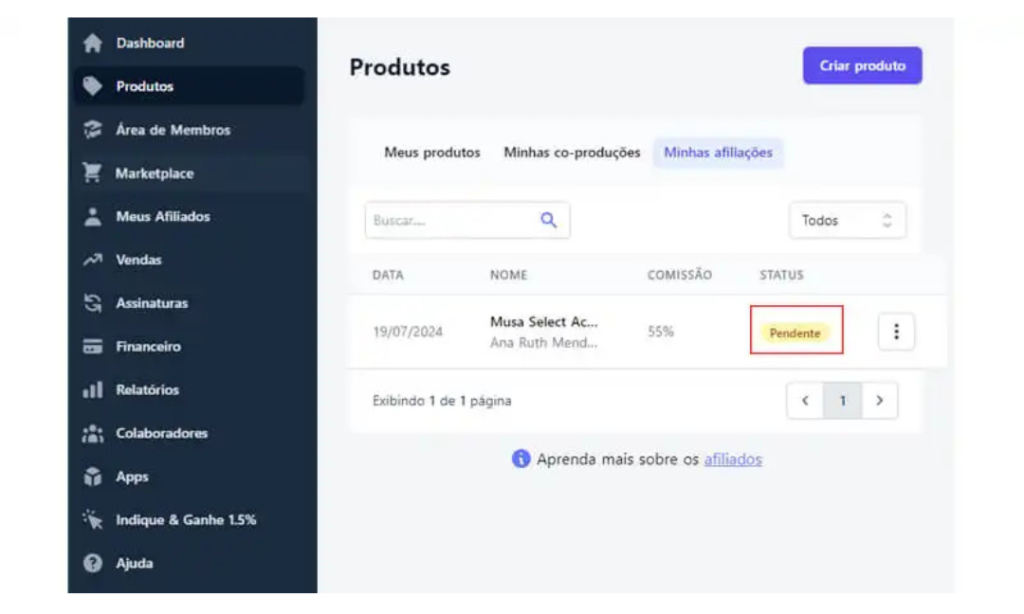
Once approved, simply go to the “My Affiliates” section and click on “Generate Link” to start promoting and selling the product. To increase your chances of success, remember to use the best marketing strategies possible.
This includes SEO strategies, well-crafted email marketing, posts in niche groups on social media, and even the efficient use of paid traffic on platforms such as Instagram, Facebook, TikTok, etc.
Have you learned how to sell on Kiwify?
We hope our guide has taught you how to sell on Kiwify, allowing you to take advantage of all the platform’s features to boost your personal life or your digital business.